
Prop Firm Armour 1.0 is here. This release is about everything around the hedge: how you manage your plan, how you share Prop Firm Armour with other traders, how your results look, and how the app feels from the moment you open it. The app is now faster and clearer.
What's new in 1.0, at a glance:
- Your plan, your way: switch between Standard and Pro, monthly or yearly, inside the app.
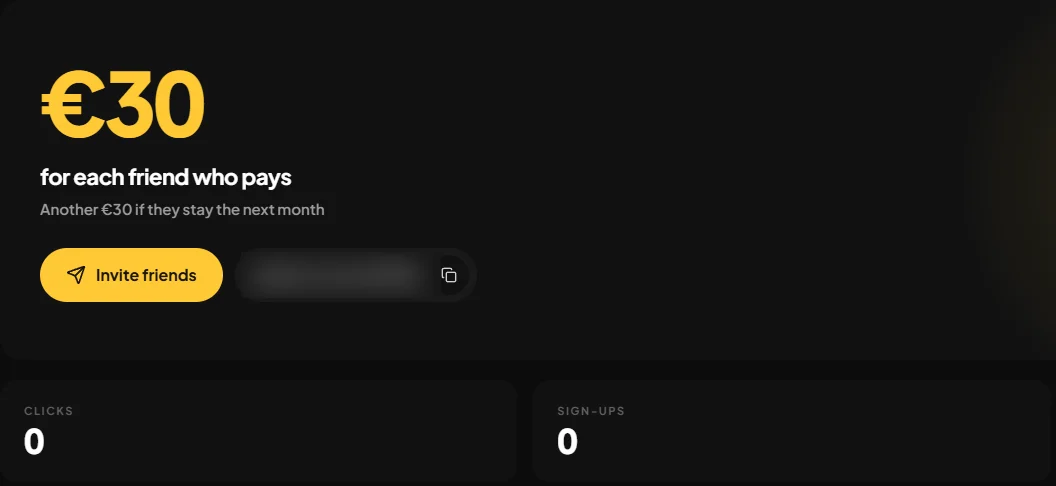
- Invite a friend, get paid: €30 when your friend pays, and more if they stay.
- A profile worth showing: your results, certificates and Pip cards on one page.
- Masterclass on any computer: your progress follows your account.
- A cleaner, faster app: foldable sidebar, live alerts, F11 full screen.
- Updates you won't notice: updates download in the background and install when you restart.
- Peace of mind on payments: ARMOUR keeps running for up to 6 hours on a late renewal.
- Fixes: a login that holds and journal notes that stay.
Your plan, your way
Your plan now lives inside the app.
- Change your plan. Move between Standard and Pro, and between monthly and yearly, without leaving Prop Firm Armour.
- Resume a cancelled plan. Changed your mind? Resume your plan from your account before it ends, without starting a new subscription.
Invite a friend, get paid
Share Prop Firm Armour with the traders you know and get paid for it.
- €30 when your friend pays.
- €30 more if they stay the month after.
- Or €100 in one go if they choose a yearly plan.
A dedicated panel keeps it all in one place: your link, clicks, sign ups, paying friends and your commissions, split into held, available and paid.
A profile worth showing
The new Profile tab puts your journey on one page.
- Your numbers. Your Total P&L over your curve, closed cycles, cycles in profit, certificates, your leaderboard position and your best cycle.
- Your collection. Click a Pip card and it comes to the centre of the screen. Click again to flip it.
- Your flag. Add your country flag from your profile. It shows next to your name on your profile, your public profile and the leaderboard.
Masterclass on any computer
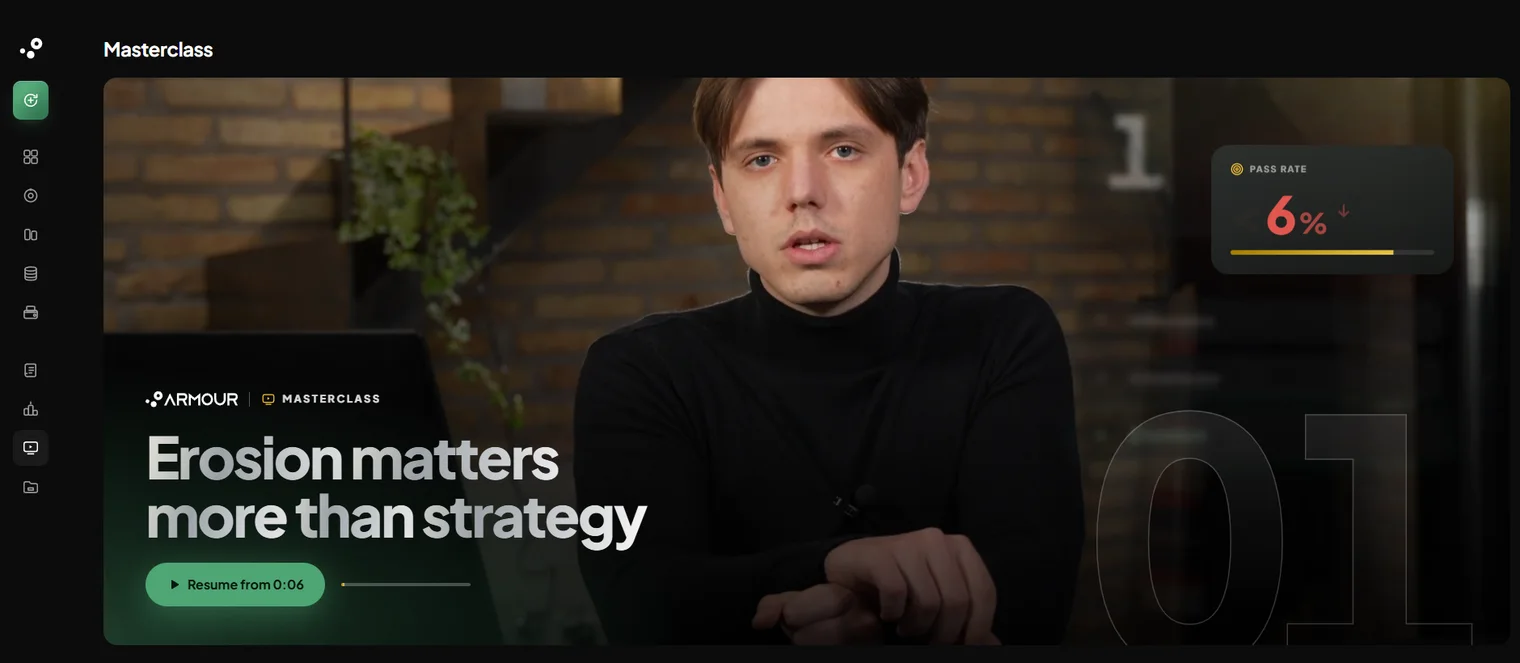
Your Masterclass progress now follows your account. Stop a lesson on one computer and pick it up on another, in the app or on the web dashboard.
A cleaner, faster app
Prop Firm Armour is quicker to move around and clearer to read.
- Foldable sidebar. Fold it into a slim column of icons. It remembers how you left it.
- One header on every page, showing where you are and the way back.
- Faster pages. Pages you already opened show at once and refresh in the background, and your Home and cycle figures arrive in one go.
- Live alerts. Alerts, notifications and ticket replies reach you as they happen, with no waiting for the next check.
- Full screen with F11, and the window now grows to any monitor size.
- Honest loading. When something fails to load you see an error and Try again, never a row of fake zeros.
A clearer new cycle wizard
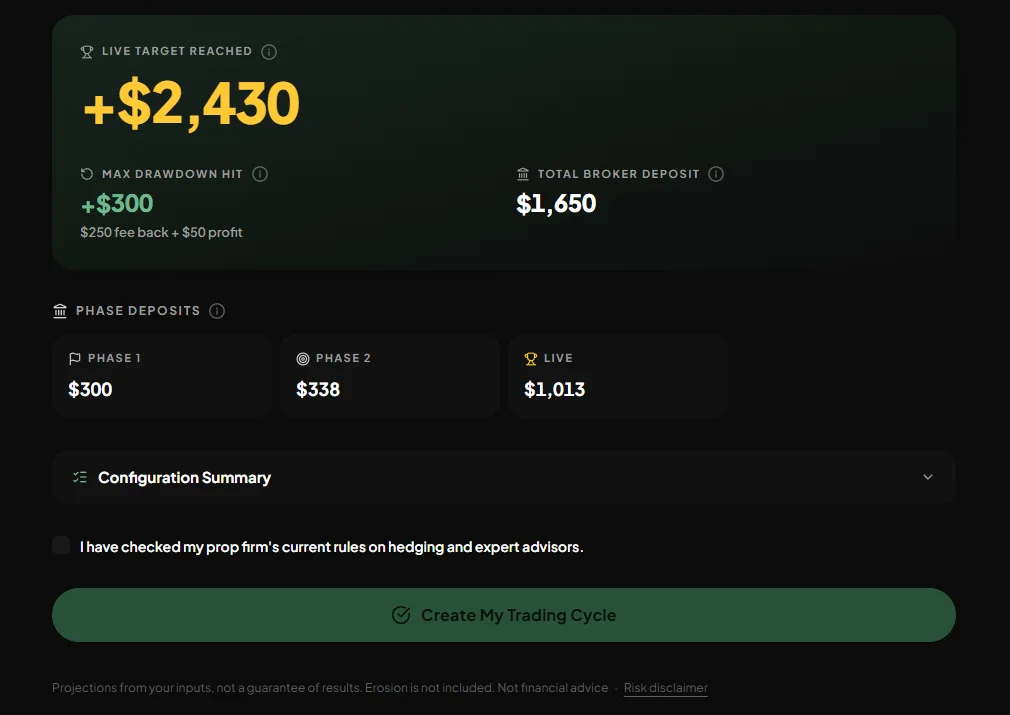
The breach figure now shows the total your broker side pays, with the fee that comes back and the profit listed under it. And before you create a cycle, a simple tick confirms you checked your prop firm's rules on hedging and expert advisors.
Updates you won't notice
Updates now download in the background, only the parts that changed, and install when you restart the app, with a splash screen while they apply.
The installer is also about a third lighter: 124 MB instead of 196 MB. The Expert Advisors now come from our server when you connect a cycle.
Peace of mind on payments
A late or failed payment no longer leaves you guessing.
- Late renewal. If your renewal is running late, ARMOUR keeps running for up to 6 hours while the payment comes through.
- A clear message if a payment fails. The cycle tells you straight: ARMOUR is off, your cycle and settings are saved, and reactivating your plan switches it back on.
- Retried on our side. If a payment hits an error on our side, it is retried. Your plan activates once and your purchase confirmation email arrives.
Fixes
The fixes you will notice most:
- The app no longer forgets your login, preferences and Home layout after some Windows restarts. After this update you sign in once, then it holds.
- Journal notes no longer get lost.
- The terminal scan no longer hangs when Windows is slow to answer.
- Smaller fixes and polish across the app, plus security and reliability improvements.
Blank window after updating? If you update from an older version and the app opens to a blank window, close it completely: open Task Manager and end every PFArmour.exe. Then reinstall from updates.pfarmour.eu/PFArmour-win-Setup.exe and log in again. Your data stays.